Open topic with navigation
Viewing Device Properties
The RTX Properties Hardware tab lets you displays device properties
for both Windows and RTX devices.
To view device properties:
- Open the RTX Properties Control Panel.
- On the Hardware tab, click the Settings
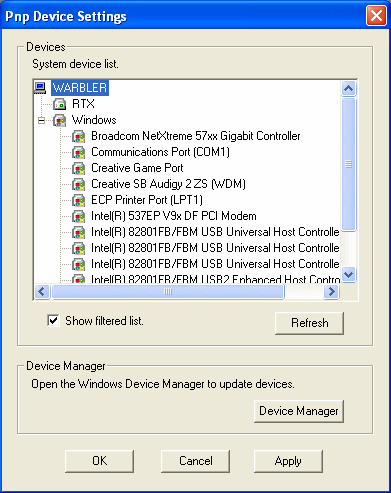
button under RTX devices. You'll see a list of the current Plug and Play
devices on your system. If Show filtered
list is checked, only the most common devices are displayed; if
it is unchecked, all devices are displayed. To update the device information,
click the Refresh button.
- Double-click the device whose properties you want
to see. RTX displays different dialog boxes for Windows PCI, Windows ISA,
RTX PCI, and RTX ISA devices.
